I am at the gym and do not know where to start.
Get a workout before you wander between machines.
For beginners at the gym or at home
Tell ChattyFit your goal, equipment and time. It sets up the workout and swaps any exercise you ask it to.
ChattyFit is an iPhone app that combines a chat coach with structured workout planning.
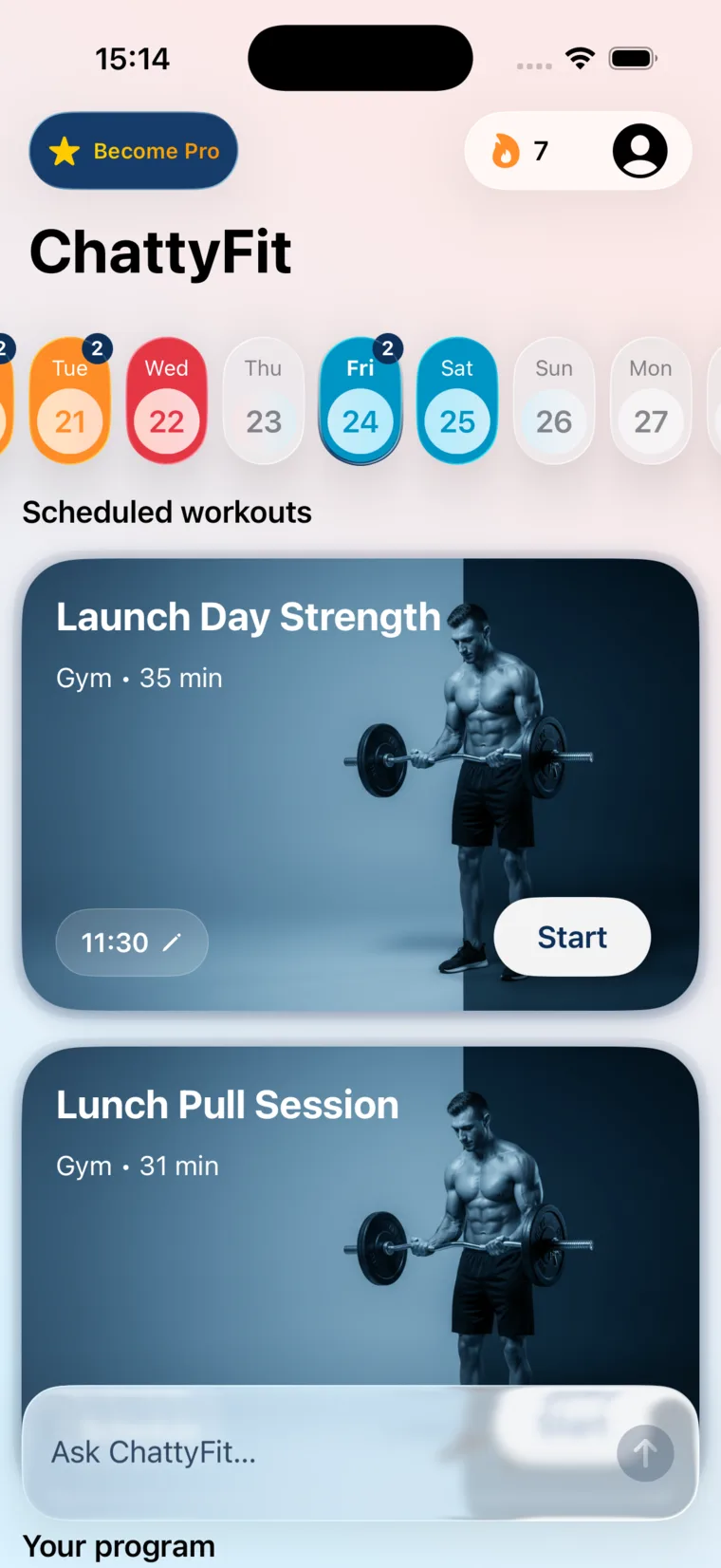



The beginner problem
Most beginners get stuck at the exact moment the app should help.
Get a workout before you wander between machines.
Choose no equipment, dumbbells, bands, machines, full gym, or custom gear.
Ask for a simpler version, a swap, or a clear explanation.
Product proof
A real workout, exercise details, and answers when something feels off.
Get a startable session
Tell ChattyFit how much time you have and what kind of session makes sense. Start, edit, or ask about it immediately.

Understand the exercise
See target muscles, rest, images, videos, and steps before you move.

Adjust without restarting
If a move is not right today, ChattyFit can update the workout around that constraint.


Ask the question you would normally hide
ChattyFit keeps the answer close to your workout. It can explain what is happening, suggest a lighter version, or help you swap the exercise.
Why it fits iPhone-first training
ChattyFit is not a bodybuilder template or a blank AI chat. It is built around time, gear, confidence, and limits.
A chatbot gives you a workout as text, so you end up typing it into your watch and pasting your sets back in afterward. Once you allow Apple Watch scheduling, each workout you schedule shows up in the Workout app on your Watch. The coach also sees your last 3 workouts when you ask what to do next.
Home, gym, machines, dumbbells, bands, no equipment, or custom gear.
Use it for guidance and adjustments, not medical advice or rehab care.
iPhone first. Send a planned workout to the Workout app on your Apple Watch, and see heart rate from Apple Health in your history. No Pro needed for either.
Your workout history stays private, with optional iCloud sync across your Apple devices.
Questions before you install?
Yes. ChattyFit asks about your goal, where you train, available equipment, limitations, and time, then prepares a workout that is easier to start than a blank gym floor or a generic chat reply.
Yes. ChattyFit can build workouts around no equipment, dumbbells, resistance bands, a full gym, strength machines, or custom equipment.
ChattyFit lets you ask questions, request swaps, and adjust a workout when an exercise feels too hard, confusing, or not right for today.
ChattyFit is free to download on the App Store. The app may offer optional paid features for people who want more control.
ChattyFit runs on iPhone with iOS 17 or later. When paired with an Apple Watch on watchOS 10 or newer, it can also push custom workouts to the Watch.
No. ChattyFit can help you adjust workouts around limitations, but it is not medical advice, physical therapy, or specialized rehabilitation care.
Start with one workout you understand
No perfect routine required. Start with the equipment, time, and confidence you have today.